


Bug Smashing toddler games
4.4560.00 Reviews
App Specs
- Version
- 4.1.51
- Updated On
- License
- Free
- Downloads
- 5,000,000+
- Developer
- Kidemy
- Categories
- Educational
- Platform
- Android
Screenshots
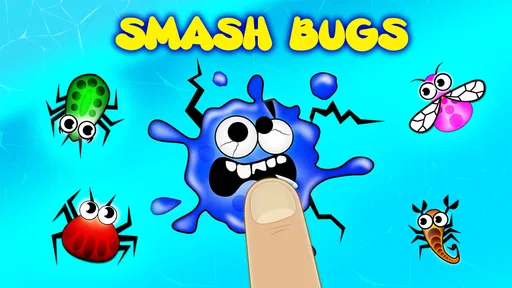
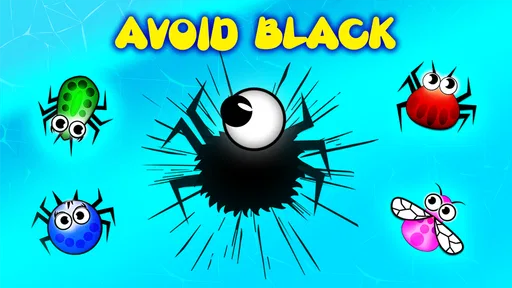

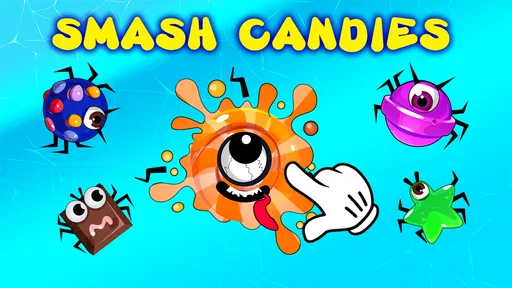
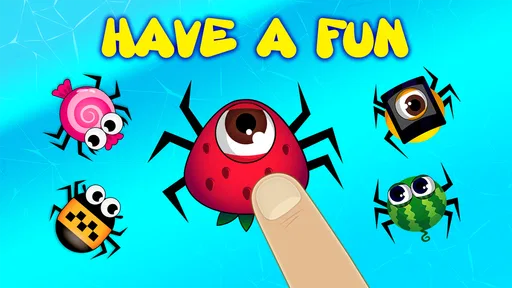
 Analysis by AppCompare
When I want a simple activity for a very young child, I look for something they can understand quickly without needing me to explain every tap. Bug Smashing toddler games is built around a clear action—tapping bugs—and that makes it easy for little hands to get started. It is an educational game from Kidemy, aimed at children from one to four years old. I see its appeal less as a deep learning course and more as a brief, playful activity that can fit into a quiet moment at home.
Small goals make the first minutes easy
The central task is immediately understandable: spot a bug and tap it. For toddlers who are still learning how to use a touchscreen, that direct connection between seeing something and acting on it is a useful starting point. There is no complicated setup to master before the basic play makes sense, which helps when a child has only a short window of attention.
In practice, I would introduce it while sitting nearby, rather than handing over a device and expecting a child to figure out everything alone. A parent can invite a child to look for a bug, name its color, or count a few taps together. That turns a quick round into a chance for simple conversation without making the game feel like a formal lesson. The game itself stays focused on tapping, so adults should supply the extra language and prompts if they want to extend the learning.
What progress feels like in play
The sense of progress here is tied to the activity itself: a child notices a target, responds, and sees the result. That immediate feedback can be satisfying for preschoolers who are not ready to follow a long sequence of instructions. I find that kind of short-loop play can be more suitable for a toddler than a game that asks them to remember several steps at once.
At the same time, parents should keep expectations modest. This is not a substitute for hands-on counting, sorting toys, drawing, or talking through colors in the room. I would treat it as a prompt for those skills, not proof that a child has mastered them. A useful approach is to pause after a short session and connect what appeared on screen to something nearby: find a red object, count a few blocks, or simply talk about what the child noticed.
Challenge, pacing, and a sensible stopping point
Tapping games can be engaging because the action is quick, but that same simplicity means they may not hold every child's interest for long. Some toddlers enjoy repeating a familiar action; others move on as soon as the novelty fades. I would follow the child’s cues rather than treating continued play as the goal. If they start tapping without looking, turn away, or become frustrated, that is a good moment to stop.
For a child who wants a more varied challenge, I would choose a game with a broader range of activities or a real-world activity such as a picture book or a sorting game. Bug tapping is best when the goal is a small, accessible burst of screen play—not a long session or a demanding lesson. That narrow purpose is a strength for some families and a limitation for others.
Worth Reading Before You Choose

EA SPORTS FC Mobile 26 Is a Bigger Football Game, but It Takes Time

Flipboard Shows What News Apps Must Do Beyond the Feed

Switching to Android Auto Means Rethinking Your Driving Routine

Google Calendar Makes a Crowded Week Easier to Manage

Ludo King Makes the Most of the Minutes Between Plans

Baby Panda World Brings Quick Play to Modern Phones, but Its Game Library Feels Busy
How it fits into a family routine
A realistic use for me would be a few minutes while waiting for food to cool or while a parent finishes a small task nearby. I would open the game with the child, help them settle into the simple tapping, and put the device away when the moment is over. That makes the game an occasional tool for a predictable lull rather than the default answer whenever a child is bored.
It is also worth thinking about the setting. A child using a phone or tablet in a busy room may be distracted by people and sounds around them, while a calmer spot can make it easier to focus on the screen. I would keep the device at a comfortable distance and stay close enough to help if the child gets stuck. The youngest players may still need an adult to start the activity and guide them back if they stray into other parts of the device.
Who is likely to enjoy it—and who may want something else
I can see this working well for caregivers who want a straightforward, toddler-oriented game that does not require reading or a long explanation. It may suit a child who likes colorful moving targets and enjoys repeating an easy action. It can also be a reasonable first touchscreen activity when an adult is present and wants to see how a young child responds to a simple game.
I would look elsewhere if I wanted a structured curriculum, a wide range of puzzles, or a game designed to keep an older child engaged. The age range is a useful guide, but children develop at different rates: a confident preschooler may quickly want more variety, while a younger toddler may need an adult to help with the basic interaction. For families focused on rich language practice, shared reading or conversation-led apps may be a better match than a game centered on tapping.
Free to start, with a purchase decision to consider
The game is free to download, which makes it easy to try before deciding whether it belongs in your routine. It has in-app purchases, with individual items ranging from $1.99 to $29.99, so I would check the purchase options with an adult before letting a child explore the device independently. That is especially important with very young players, who can tap quickly without understanding that a screen may lead to a buying choice.
Bug Smashing has an Everyone content rating, but that does not remove the need for supervision. Age ratings describe broad content suitability; they do not decide how long a child should play or whether a particular child is ready to use a device alone. I would set a clear boundary before opening it, keep the device in reach, and make the end of the activity predictable. Those habits matter more to a young child's experience than simply installing a child-friendly game.
First Impressions
From the moment I opened the Bug Smashing app, I was greeted with vibrant colors and cheerful music that immediately set the tone for a playful experience. The interface is super intuitive, which is crucial for our tiny tech users. Everything is designed to be as straightforward as possible, allowing toddlers to navigate with ease. The app's design clearly understands its audience, keeping things simple yet engaging.
Gameplay and Features
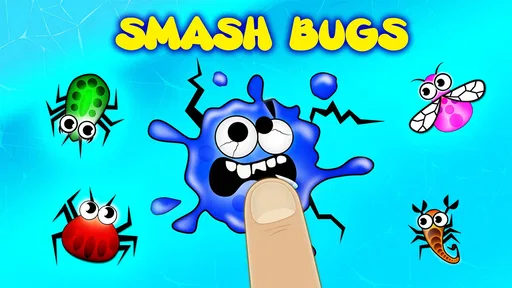
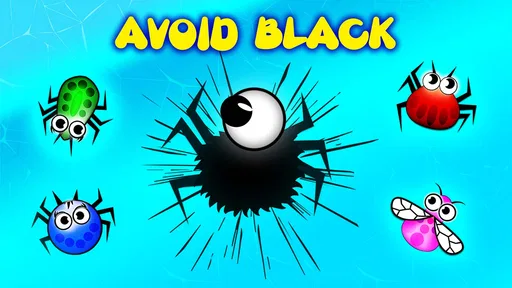
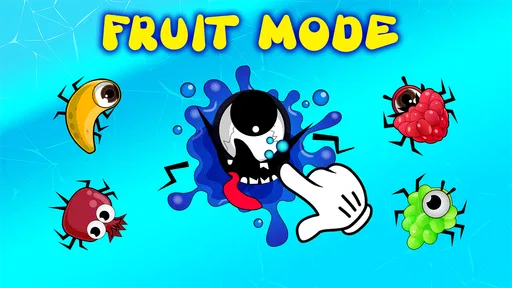
The core objective of the game is, as the name suggests, smashing cute little bugs. These aren't your typical creepy crawlies, though. They're adorable, animated characters that make smashing them feel more like a game and less like an extermination mission. Each level introduces new bug types, each with their own unique movements and sounds, keeping the game fresh and exciting from start to finish.
- Multiple Levels: The game offers a variety of levels that gradually increase in difficulty. This progression keeps kids challenged but not frustrated, which is a perfect balance for learning.
- Educational Elements: While primarily a game, it sneaks in educational elements like counting and color recognition. For instance, kids might be asked to smash a certain number of bugs or identify bugs of a particular color.
- Interactive Rewards: Completing levels earns kids cute stickers or virtual treats, adding an element of reward that motivates them to keep playing.
As a parent, I appreciate how the game subtly incorporates learning without making it feel like a lesson. The focus remains on fun, which is crucial for maintaining a child’s interest.
Parental Controls and Safety
In today’s digital age, parental controls are a must, and this app doesn't disappoint. It features a simple yet effective parental control system that allows you to set screen time limits and control in-app purchases. This means you won't have any unwanted surprises on your credit card statement, which is always a relief!
Moreover, the app is free from ads, ensuring a seamless experience for your child. The absence of advertisements means there are no distractions, allowing kids to focus entirely on the game itself. It’s also a relief knowing they won’t accidentally click on something they shouldn’t.
Overall Experience
What I love most about this app is its ability to keep youngsters engaged while subtly teaching them new skills. The combination of bright visuals, catchy tunes, and interactive gameplay makes it a hit for toddlers and a peace-of-mind choice for parents. The app's developers clearly understand the importance of balancing fun with learning, and it shows in every aspect of the game.
The game has been available since October 21, 2014, and its current version is 4.1.42. It has an average rating of 4.4 from around 14,000 ratings, with more than 5 million installs. Those figures suggest it has reached many families, though popularity alone cannot tell me whether it will suit a particular child. I would still judge it by how comfortably the child handles the tapping and whether the short activity feels enjoyable rather than demanding.
For device compatibility, the minimum operating system is version 6.0. If you are choosing between this and another toddler game, I would compare the actual kind of play you want: Bug Smashing is a focused tap-and-notice activity, while a broader educational game may offer more varied tasks at the cost of a less immediate learning curve. Neither approach is automatically better; for a very young child, one clear action can be easier to understand than a menu full of choices.
One practical tip is to let the child try a brief session before deciding whether to keep it installed. Watch whether they can follow the target on screen, whether they seem pleased by the feedback, and whether they can stop calmly when you close the game. That tells you more than a long trial in which an adult is continually prompting them. If the tapping becomes random or the child asks for help repeatedly, try again later or choose a slower, shared activity instead.
Another trade-off is that rewards can make repetition appealing, but a reward should not become the only reason a child wants to play. I would avoid promising a sticker or treat before every round; instead, talk about what the child spotted or let them explain what they liked. That keeps the focus on noticing and interaction, while leaving the game’s rewards as a small extra rather than the whole point.
Families also differ in how much screen play fits their routine. A free download lowers the barrier to trying it, but the in-app purchase range means it is sensible to review purchase settings first and make sure a child cannot buy items accidentally. If you prefer games with no optional spending at all, that consideration may lead you to a different choice. If you are comfortable managing purchases yourself, the free starting point lets you assess the basic appeal before making any decisions.
In conclusion, if you're on the hunt for an app that will entertain and educate your little one, Bug Smashing toddler games should definitely be on your list. It's a delightful way for kids to learn and play, ensuring they have a blast while you rest easy knowing they’re in a safe digital environment. I would recommend it most as a short, supervised activity for a toddler who enjoys tapping and spotting things, rather than as a complete learning plan or a substitute for shared play. If your child wants deeper puzzles, longer stories, or a wider mix of skills, another option will likely serve them better.
Pros
- Engaging graphics for young children.
- Simple controls suitable for toddlers.
- Educational content is seamlessly integrated.
- No in-app purchases or ads.
- Encourages motor skill development.
Cons
- Limited levels may become repetitive.
- Requires constant internet connection.
- Audio effects can be too loud.
- Graphics may not appeal to older kids.
- Some bugs can be difficult for toddlers.
FAQs for Bug Smashing toddler games
What is the recommended age range for Bug Smashing toddler games?
Bug Smashing toddler games are designed for children aged 2 to 5 years. The app features simple, intuitive controls and bright, engaging graphics that cater to the developmental needs of toddlers. It's essential to ensure the content is appropriate for your child, so parental guidance is recommended during initial gameplay.
Are there any in-app purchases or ads in Bug Smashing toddler games?
Yes, Bug Smashing toddler games may contain in-app purchases and advertisements. These purchases can include additional levels, characters, or features. Ads may appear during gameplay or between levels. It’s advisable to supervise your child’s playtime or adjust settings to disable purchases if needed.
Is Bug Smashing toddler games available offline?
Bug Smashing toddler games can be played offline, making it a convenient option for on-the-go entertainment. However, some features, such as updates or additional content, may require an internet connection. It’s a great app for keeping toddlers entertained without needing constant connectivity.
What skills can my child develop by playing Bug Smashing toddler games?
Playing Bug Smashing toddler games can help develop several skills in young children, including hand-eye coordination, fine motor skills, and cognitive abilities. The game encourages quick thinking and reaction, as children must tap on bugs swiftly. It's an engaging way to promote learning through play.
How can I ensure my child’s safety while playing Bug Smashing toddler games?
To ensure your child's safety, enable parental controls on your device to restrict access to other apps and in-app purchases. Regularly review the app’s permissions and settings. Additionally, play alongside your child to monitor content and ensure the game remains an enjoyable and safe experience.


